Creating a Hype Header
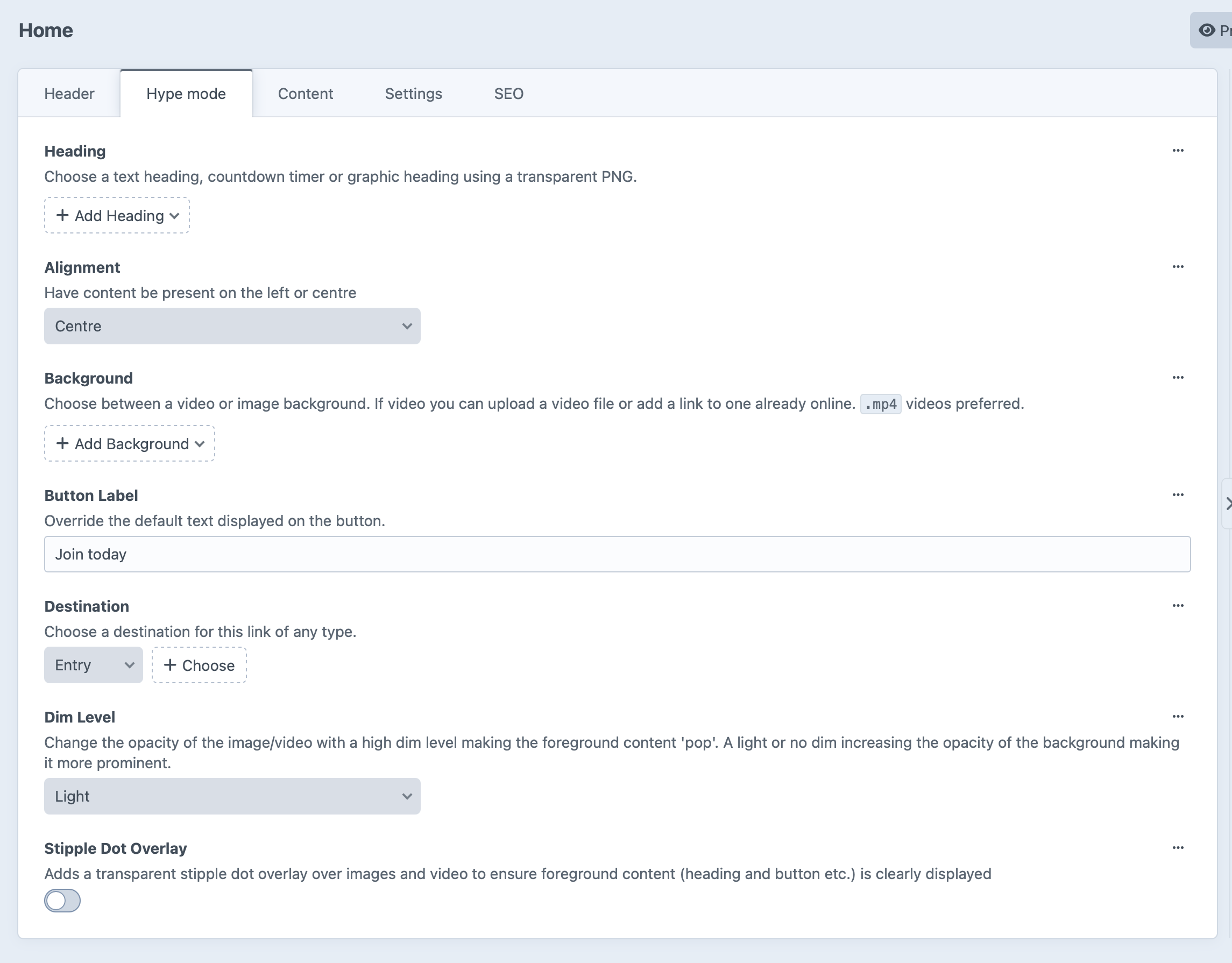
The Hype Header is LEAP’s most immersive hero layout, designed to create a high-impact first impression.
Unlike the Carousel, the Hype Header displays a single full-width hero with rich media backgrounds, flexible heading styles and custom call-to-actions.
It’s perfect for:
- Membership launches
- Season campaigns
- Major announcements
- Ticket sales
- Events
Step 1: Enable Hype Mode
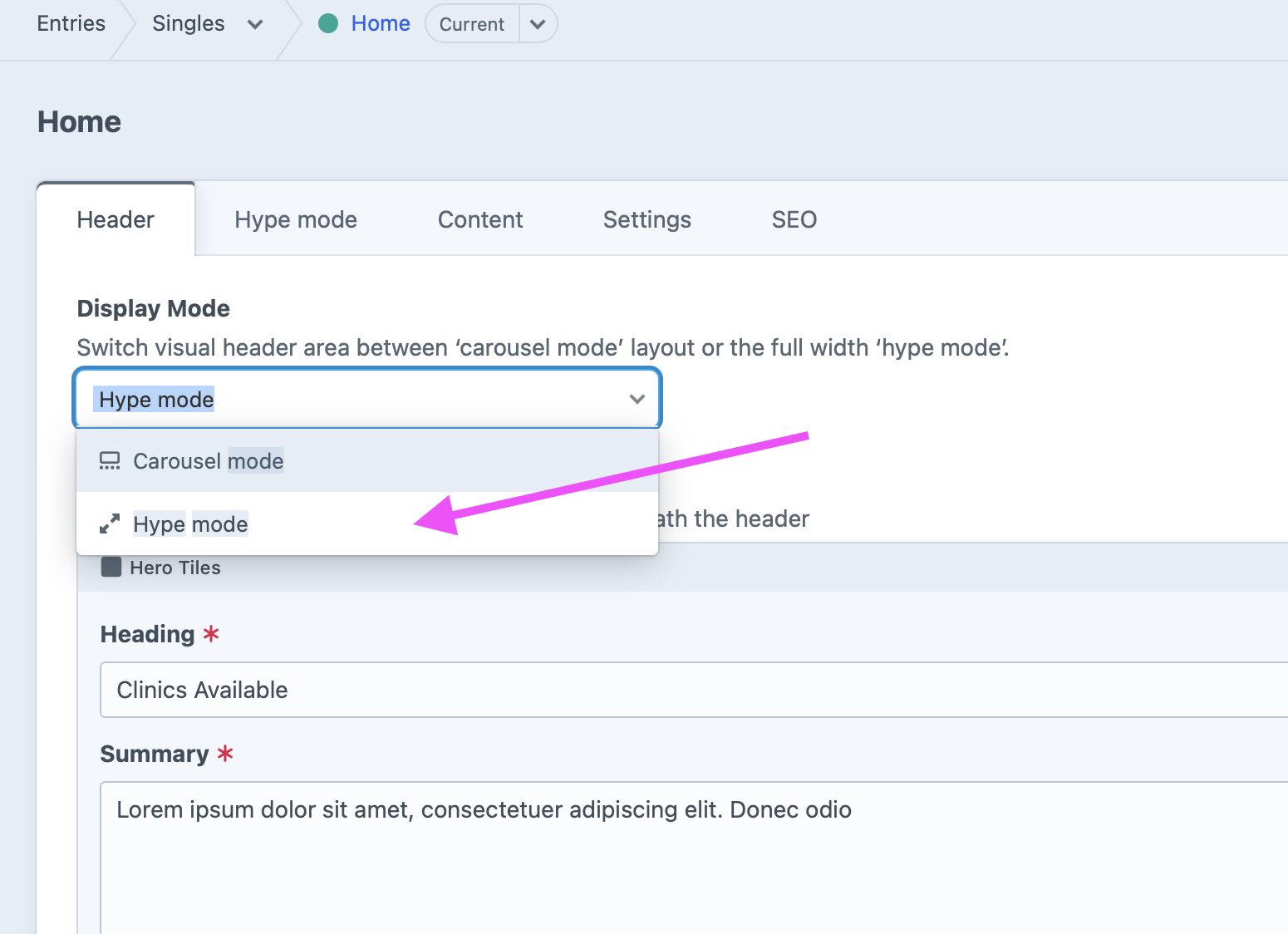
Open your homepage (or another page that supports headers) and go to the Header tab.
Under Display Mode, select Hype mode.
Once selected, the Hype mode tab will appear.
Step 2: Choose Your Heading Type
The Hype Header supports three different heading styles, allowing you to tailor the presentation to your campaign.
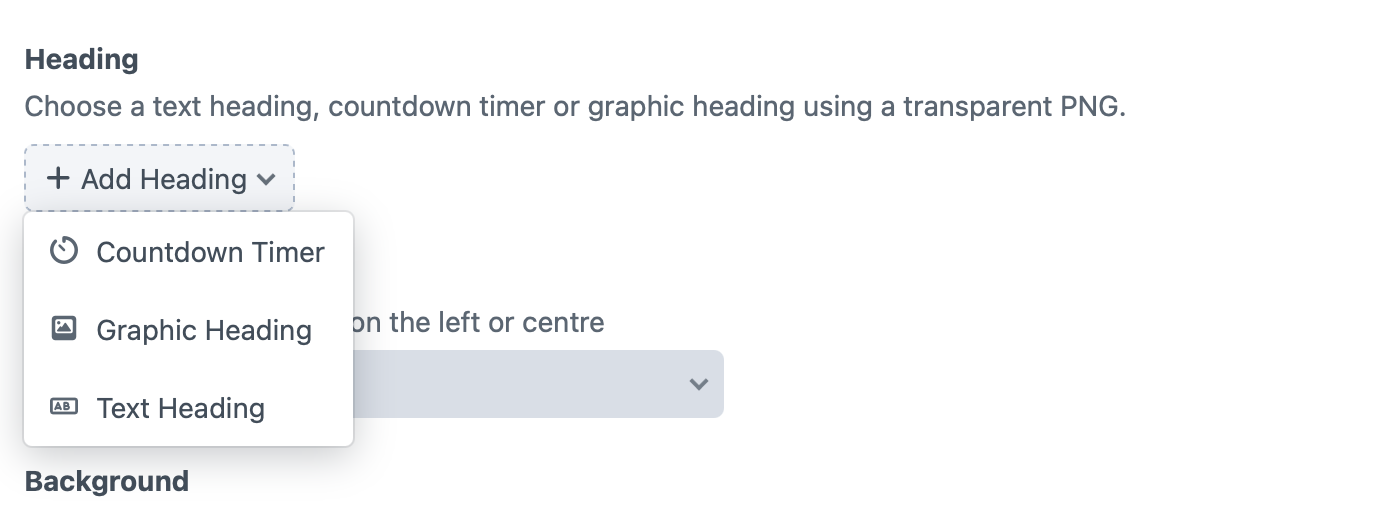
Text Heading
The most commonly used option.
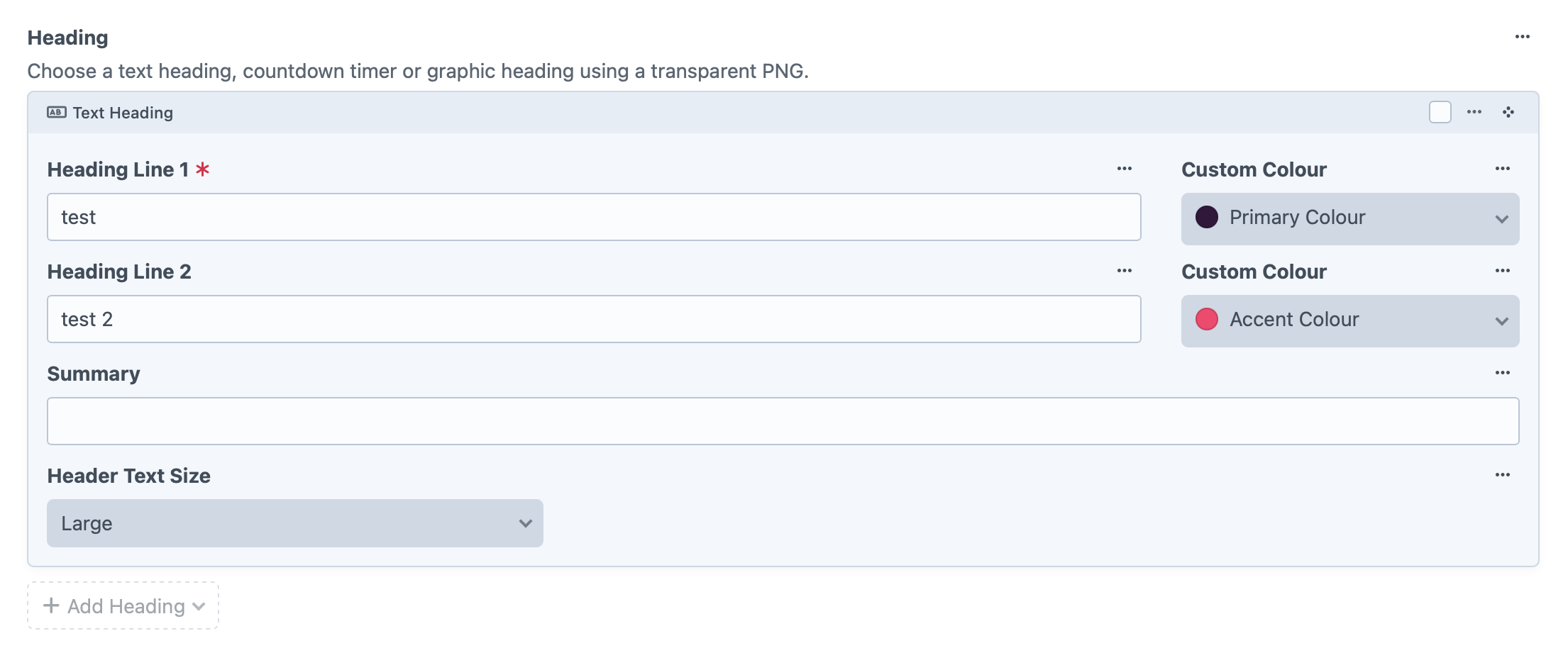
Create a heading using editable text directly within the CMS.
You can configure:
- Heading Line 1
- Optional Heading Line 2
- Summary text
- Heading size
- Individual colours for each heading line
This option is ideal when you want maximum flexibility and easy content updates.
Best for:
- Membership campaigns
- Seasonal promotions
- General marketing content
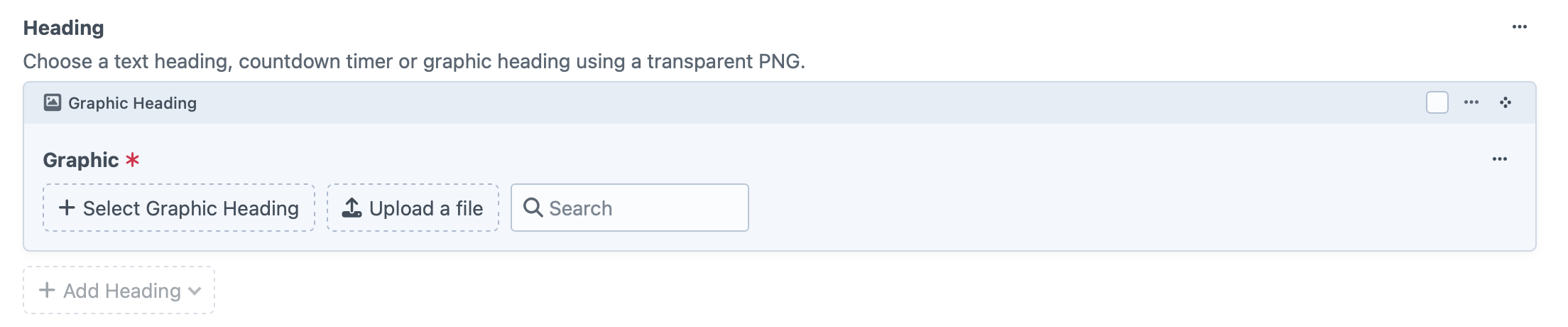
Graphic Heading
Upload a transparent PNG graphic to use instead of editable text.
This is useful when:
- Your campaign has custom typography
- You have a professionally designed lockup
- Branding needs to remain exactly as designed
As the heading is an image, remember to include any required styling or effects within the artwork itself.
Countdown Timer
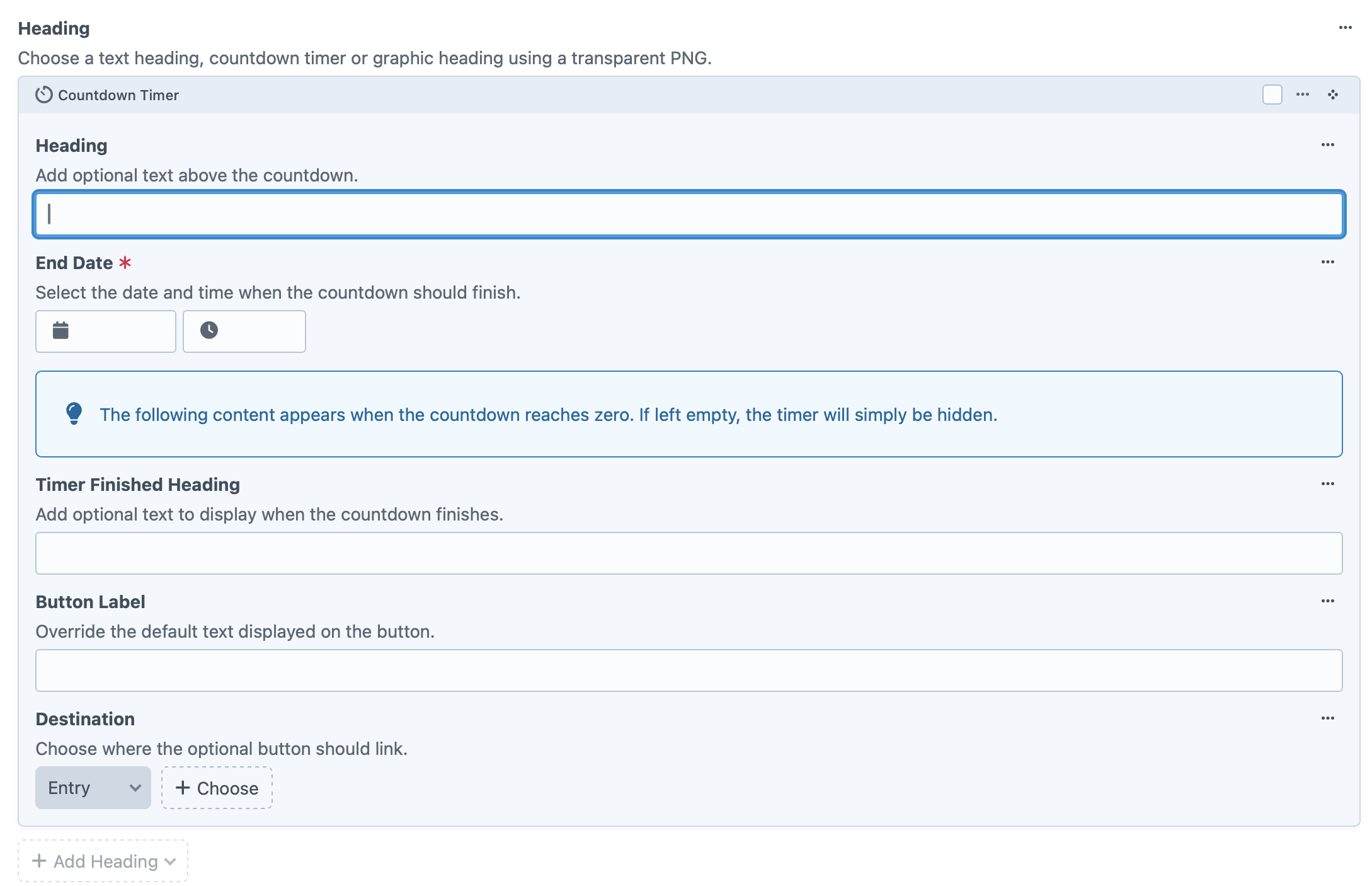
Create urgency by displaying a live countdown to an important date or event.
Configure:
- Optional heading above the timer
- Countdown end date and time
- Optional content to display once the timer expires
- Button label and destination after the countdown finishes
Perfect for:
- Membership launches
- Ticket releases
- Event registrations
- Sale countdowns
If no content is entered for after the timer expires, the countdown will simply disappear once complete.
Step 3: Choose a Background
Every Hype Header requires a background.
You can choose between:
Image
A traditional hero image.
Best for:
- Photography
- Promotional graphics
- Club branding
Video
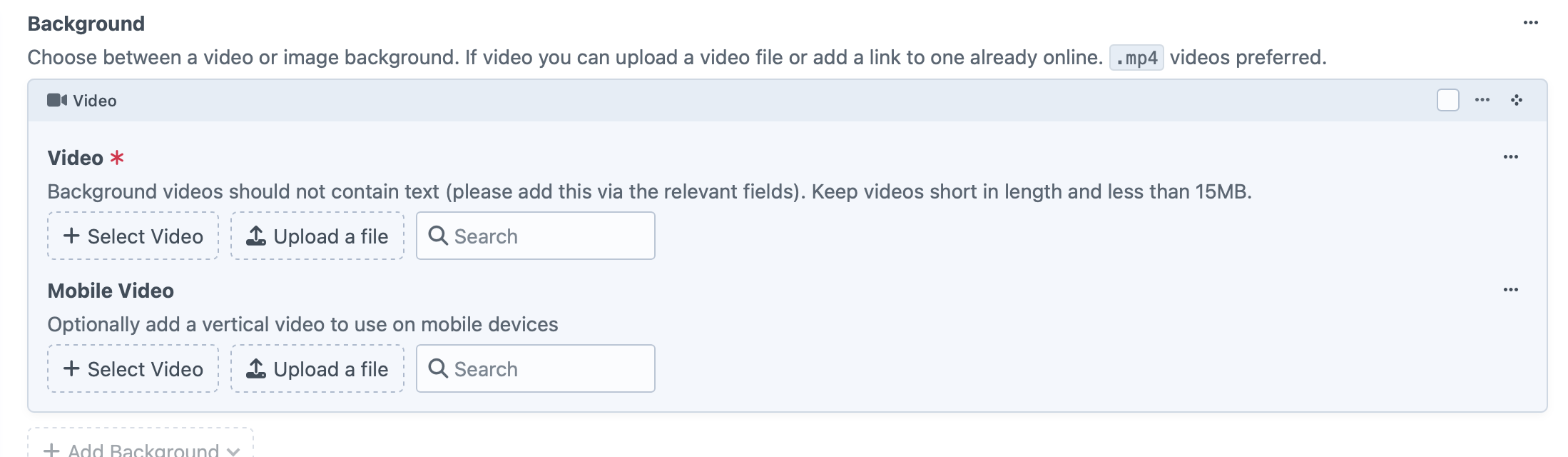
Upload a background video or link to an externally hosted video.
For the best experience:
- Use MP4 format where possible
- Keep videos short
- Aim for file sizes under 15MB
- Avoid embedding text within the video
Text, buttons and headings should always be added using the CMS fields rather than baked into the video.
Mobile Backgrounds
Both images and videos support optional mobile-specific versions.
These allow you to upload portrait assets that are better suited to narrow screens.
If a mobile version is not supplied, the desktop asset will be used instead.
Alignment
Choose where your content appears over the background.
Available options include:
- Left
- Centre
Use the alignment that best complements the composition of your background image or video.
Call-to-Action Button
Add an optional button to encourage users to take action.
Configure:
- Button label
- Destination
The destination uses Craft CMS’s flexible Link field, allowing links to:
- Entries
- Categories
- Assets
- External websites
- Email addresses
Examples of button labels include:
- Buy Now
- Join Today
- View Packages
- Learn More
Graphic Treatments
To ensure your foreground content remains easy to read, LEAP includes two optional visual treatments.
Dim Level
Apply a semi-transparent overlay over the background.
Available levels range from light to heavy, allowing you to balance image visibility with text readability.
A stronger dim makes headings and buttons stand out more clearly.
Stipple Dot Overlay
Adds a subtle dotted texture over the background.
This has two key benefits:
- Improves readability over busy or low-contrast imagery
- Helps lower resolution images appear cleaner while reducing the need for very large image files
It’s particularly useful when optimising page performance without sacrificing visual quality.
Best Practice Tips
- Use high-quality images or short, engaging videos.
- Keep messaging concise and focused on a single campaign.
- Use the countdown timer to create urgency around launches or deadlines.
- Upload dedicated portrait images or videos for the best mobile experience.
- Apply a dim overlay whenever text becomes difficult to read against the background.
- Use the stipple overlay with lower resolution imagery to maintain a polished appearance while keeping file sizes small.
Summary
The Hype Header is LEAP’s premium hero option, combining flexible content with immersive imagery and video.
Simply:
- Select Hype mode from the Header tab.
- Choose a heading style (Text, Graphic or Countdown).
- Add an image or video background, with optional mobile-specific versions.
- Configure your button and destination.
- Fine-tune the appearance using alignment, dim levels and the optional stipple overlay.
With these options, you can create a visually engaging hero section tailored to almost any campaign, all without needing developer assistance.